YouTube Studio
Herausgeberbeschreibung
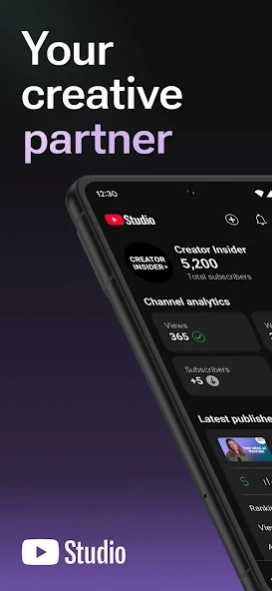


YouTube-Kanal auch unterwegs verwalten
Die offizielle YouTube Studio App ist die beste Möglichkeit, Nutzer in deiner Community besser zu verstehen und mit ihnen in Kontakt zu treten – du brauchst dafür einfach nur dein Smartphone. Mit der App kannst du:
– Im neuen Kanal-Dashboard einen Überblick über die Leistung deiner Inhalte und deines Kanals erhalten.
– Anhand detaillierter Messwerte erkennen, welche Ergebnisse dein Kanal und die einzelnen Inhaltstypen erzielen. Leistungsdaten für einzelne Inhaltstypen findest du auch auf dem Tab „Analytics“.
– Eine enge Beziehung zu deinem Publikum aufbauen, indem du Kommentare sortierst und filterst, um die wichtigsten Unterhaltungen in deiner Community zu finden.
– Die Gestaltung deines Kanals anpassen und einzelne Inhalte verwalten, indem du die Angaben für deine Videos, Shorts und Livestreams aktualisierst.
– Ein Unternehmen auf YouTube aufbauen, in dem du dich für das YouTube-Partnerprogramm bewirbst, um Zugriff auf Monetarisierungsfunktionen zu erhalten.
Über YouTube Studio
Das Unternehmen, das YouTube Studio entwickelt, ist Google LLC. Die neueste vom Entwickler veröffentlichte Version ist 1.0.
Um YouTube Studio auf Ihrem Android-Gerät zu installieren, klicken Sie einfach auf die grüne Schaltfläche Weiter zur App oben, um den Installationsvorgang zu starten. Die App ist seit 2026-11-09 auf unserer Website gelistet und wurde 18 Mal heruntergeladen. Wir haben bereits geprüft, ob der Download-Link sicher ist; zu Ihrem eigenen Schutz empfehlen wir jedoch, die heruntergeladene App mit Ihrem Antivirusprogramm zu scannen. Ihr Antivirusprogramm kann YouTube Studio als Malware erkennen, wenn der Download-Link zu com.google.android.apps.youtube.creator defekt ist.
So installieren Sie YouTube Studio auf Ihrem Android-Gerät:
- Klicken Sie auf unserer Website auf die Schaltfläche Weiter zur App. Dadurch werden Sie zu Google Play weitergeleitet.
- Sobald YouTube Studio im Google-Play-Eintrag Ihres Android-Geräts angezeigt wird, können Sie den Download und die Installation starten. Tippen Sie auf die Schaltfläche Installieren unter der Suchleiste und rechts neben dem App-Symbol.
- Es wird ein Popup-Fenster mit den von YouTube Studio benötigten Berechtigungen angezeigt. Klicken Sie auf Akzeptieren, um den Vorgang fortzusetzen.
- YouTube Studio wird auf Ihr Gerät heruntergeladen und der Fortschritt angezeigt. Sobald der Download abgeschlossen ist, beginnt die Installation und Sie erhalten eine Benachrichtigung, nachdem die Installation abgeschlossen ist.
Programmdetails
Systemanforderungen
Download-Informationen
Preisgestaltung
Versionsgeschichte
Version
veröffentlicht am 2026-11-09
• Ein neu gestaltetes Dashboard, auf dem du deine wichtigsten Leistungsdaten einsehen kannst.• Automatische Vorabprüfungen untersuchen dein Video vor dem Upload auf mögliche Urheberrechtsverletzungen oder Monetarisierungsprobleme.• Bewirb dich für das YouTube-Partnerprogramm, um dein Unternehmen auszubauen.
Version
veröffentlicht am 2026-10-12
• A newly designed Dashboard that lets you see your most important performance data.
• Automatic checks will screen your video for any copyright violation or monetization issues before you upload.
• Apply for the YouTube Partner Program to grow your business.
Version
veröffentlicht am 2026-10-12
• A newly designed Dashboard that lets you see your most important performance data.
• Automatic checks will screen your video for any copyright violation or monetization issues before you upload.
• Apply for the YouTube Partner Program to grow your business.
Version
veröffentlicht am 2022-05-18
. Bug fixes and stability improvements.
Version
veröffentlicht am 2021-11-30
. To make it quicker to find features, support larger screen devices and both left and right handed users we have changed the YouTube Studio mobile navigation by introducing a bottom navigation bar.
. Revenue metrics can now be viewed in your chosen currency. This setting will apply across desktop and mobile for all users who have access to the channel.
. Bug fixes and stability improvements.
Version
veröffentlicht am 2021-11-17
. We have updated Analytics bringing your favourite features to mobile, such as typical performance for a video and new and returning viewers data. We have also improved our charts for key metrics and real time analytics.
. Bug fixes and stability improvements.
Version
veröffentlicht am 2021-09-22
. From this version of the YouTube Studio app Android 12 will now be supported.
. We recently updated the in app icons to make them clearer to read and consistent across YouTube apps.
. Bug fixes and stability improvements.
Version
veröffentlicht am 2021-09-02
. To make the YouTube Studio app and its features easier to recognize we have improved the overall look and feel of the app by updating the application’s store icon and the icons within the app.
. Bug fixes and stability improvements.
Version
veröffentlicht am 2021-06-29
. Improved Real Time analytics card now allows you to see up to 15 videos, sort by view count and displays the thumbnail for each video.
. Watch time is now displayed in hours instead of minutes to make it easier to read and more consistent between desktop and mobile.
Version
veröffentlicht am 2021-04-06
. No longer only on desktop! We have now brought the ability to mention other channels in a video’s title or description. Just type an “@” symbol followed by the channel name you are looking for when editing a video’s title or description using the YouTube Studio app.
. Bug fixes and stability improvements.
